Messages is how you talk to other members directly and privately — with text, images and voice messages, and by call if you want.
Note: The screenshots show the German interface — the layout is identical in every language.
Inbox
- Open Messages in the left menu.
- The inbox lists every conversation, sorted by the most recent message. Unread ones carry a counter — it also appears as a red number on the menu entry and in the top bar.
- Click a conversation to open the chat.
A whole conversation is not deleted here but in the chat itself — via Delete conversation in its header (see below).
Starting a new conversation
- Open the profile of the member you want to write to.
- Click Send message at the top — the chat with that member opens.
You can only send messages if you have a profile picture of your own — this also applies to replies in existing conversations. If it is missing, the chat shows a notice with Upload photo instead of the input field. Uploading is enough — you do not have to wait for the picture to be reviewed. You can still read your conversations, and support can always be reached.
Writing in the chat
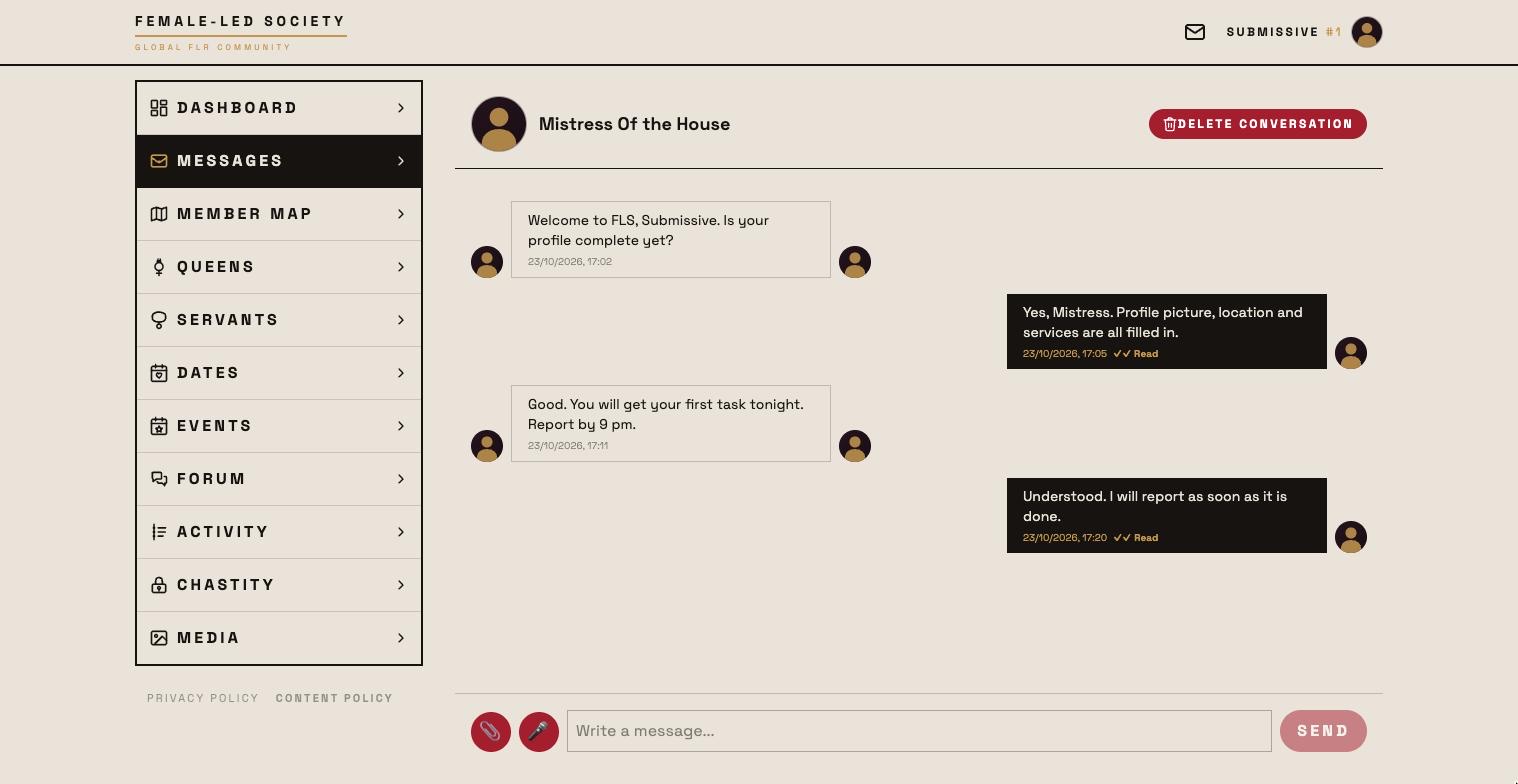
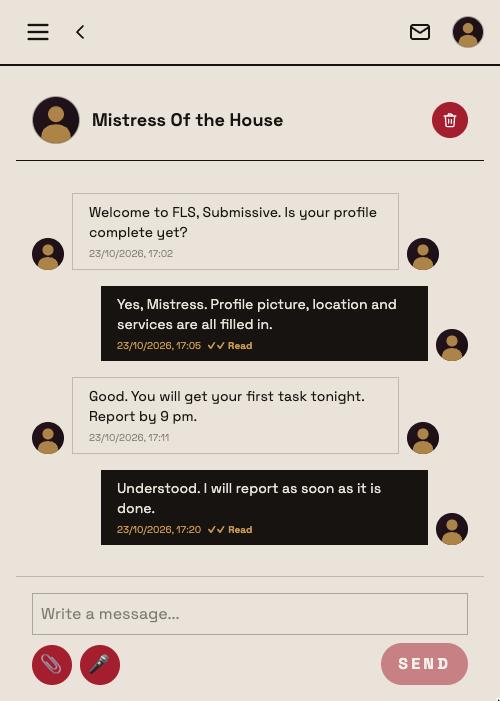
- Type your message into the “Write a message…” field.
- Send posts it. A message may be up to 4000 characters long. If you send a great many messages in a short time you are briefly slowed down — the chat then says You're sending a lot of messages right now. Please wait a moment.
- The paperclip icon attaches up to three images to one message. The preview above shows what will go out; each image can be removed beforehand.
- The microphone icon records a voice message. A second click stops the recording; it appears as a preview and goes out with the next Send. If the browser denies access it says Cannot access the microphone.
A green dot next to your counterpart's name means they are online right now. New messages appear on their own, without reloading the page.
Your own messages carry a ✓ next to the time while they are only sent, and ✓✓ Read once your counterpart has opened the conversation — it switches on its own.
Deleting individual messages
Every message carries a delete icon. Deleting is permanent and affects both sides — the other person's copy goes too. That is why it always asks first, and it cannot be undone.
Deleting the whole conversation
The chat header shows Delete conversation (bin icon) as soon as there is something to delete. This too applies to both sides and asks first. Afterwards you are back in the inbox; the conversation disappears from the other person's list as well.
Permissions — the key
At the top of the chat, behind 🔑 Permissions, sits everything about what this contact may see and how they can reach you.
Calls
Two switches: Allow audio calls and Allow video calls. They apply to your account, not just to this one conversation: anyone who enables them can be called by their chat partners. The same switches live in your profile under Account (see Setting up your profile).
Protected media
Below that, your gallery media with an approval requirement appear as thumbnails — each with Share or Lock, for this contact only. If you have no protected media, the panel tells you so.
The other way round, someone can also share on request: whoever clicks a protected medium in your gallery sees Request access; the request lands on your dashboard under Media access requests (see Media).
Blocking a member
If you don't want any more contact with someone, use the block. It sits in the chat header as a red ⊘ icon (Block member) — after a confirmation it takes effect immediately, and in both directions:
- Neither of you can message or call the other any more; the existing conversation disappears from both inboxes.
- Neither of you can open the other's profile.
- An existing friendship or queen–servant connection is dissolved, pending requests included.
The blocked member gets no notification; to them your profile simply looks unavailable. You both stay visible in search, the member map, dates, events, media and the forum — only the click on the profile leads nowhere. The support chat and the chat with the AI queen have no block icon.
You can lift the block at any time: in your profile under Connections at Blocked members, or directly on the blocked profile. Messages and chat history return afterwards; a friendship or connection has to be requested again.
Calling
If your counterpart has enabled the matching permission and is online right now, two icons appear at the top of the chat: 📞 for an audio call and 🎥 for a video call. Without the permission, or while they are offline, they are not there.
- The person being called sees Incoming call with Accept and Decline.
- During the call you can mute yourself and turn the camera on and off; Hang up ends it.
- If it does not work, the display says why: Call declined, Busy, No answer, Not reachable or Calls not allowed.
A call and a video room are mutually exclusive — end the call and the room is available again.
Support and the AI queen
Two chats are special:
- Support. Questions or problems go to support like an ordinary message: in your profile under Account you find the link Questions or problems? Write to support. It opens the chat with the support account Mistress of the House; a notice above the conversation reminds you whom you are talking to. There are no calls, permissions or block there — and support can be reached even without a profile picture.
- AI queen. Her chat only opens once you have explicitly offered her your service on her profile and an admin has approved it; before that, a notice with a link to her profile takes the place of the input field. She reads text and images but no voice messages — so the microphone icon is missing in this chat, as are calls and permissions.
Not missing anything
Whether you are notified about new messages — as a push notification on your lock screen or by email — is set in your profile under Account in the Notifications section. Push is preselected for every event but has to be switched on once per device and browser (on iPhone and iPad only after adding the app to the home screen); emails are off by default. The notification for a new message shows the sender and the first 100 characters — anyone looking at your screen can read that.