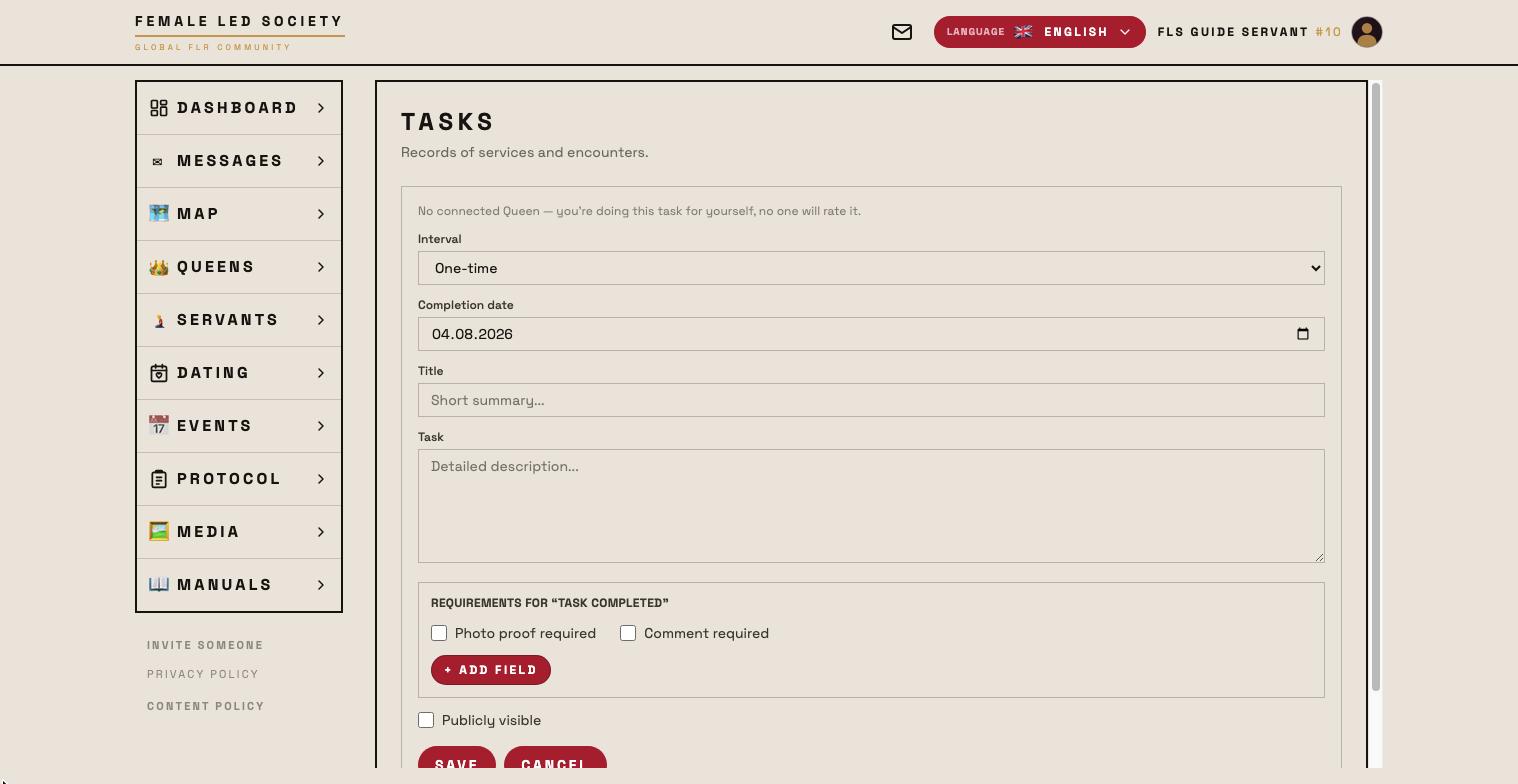
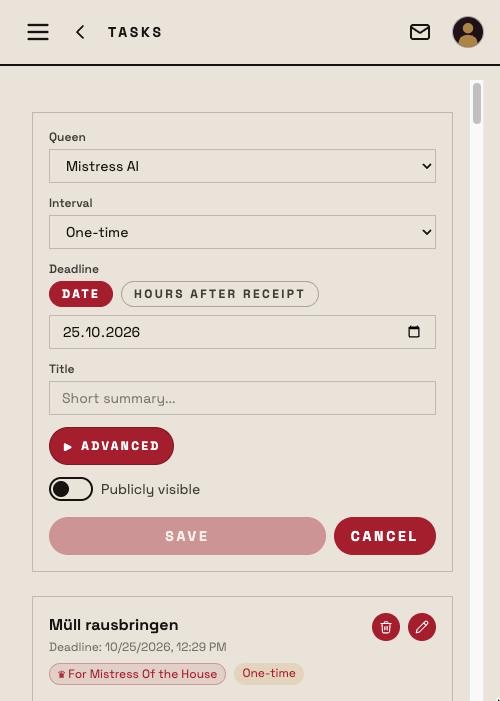
Tasks are the central tool of the service relationship: a queen assigns tasks to her connected servant, the servant completes them and is rated for it. Even without a connection you can create tasks for yourself — without a rating then.
As a running example, Femdom creates the task Lose weight for Submissive. It is right there in his profile under What I am working on: 96 kg at 182 cm, and he wishes for control.
Note: The screenshots show the German interface — the layout is identical in every language.
How the dashboard is laid out and how a task differs from a rule is explained in the guide Dashboard: tasks and rules. This guide is about creating, completing and rating.
The goal comes first
A goal describes what several tasks work towards together. It sits in the Tasks & Goals tab of your own profile or on the servant's profile, above the tasks, and in the Goals box on the dashboard.
- Click + New goal.
- For — the queen the goal applies to. A servant without a connection picks Myself (without queen).
- Goal — a short description. Femdom enters Weight down to 85 kg.
- Description (optional) — what it is about: starting value, target value, how it is checked.
- Publicly visible — checked, all members see the goal on the profile; unchecked, only the servant and the goal's queen.
- Save.
The goal appears as a card with the name of its author, the 🌐/🔒 marker and the number of linked tasks; a click opens the goal page with all tasks and rules attached to it. A goal without a task does nothing — it is the bracket, not the instruction. If you delete a goal, its tasks remain and only lose the link.
Creating a task
The form is the same everywhere. You reach it on the servant's profile under Tasks via + New task, on the Tasks page in the menu, in the Tasks & Goals tab of your profile and on the dashboard via the + in the Tasks box (queen) or Open tasks box (servant).
- Servant — fixed when you are on his profile; otherwise you pick him from your connections. If a servant creates the task, he picks the Queen it applies to, or Without queen — I am working on myself.
- Interval — One-off, Daily, Weekly or Monthly. Recurring tasks are set again after every completion. Femdom chooses Daily. There is no Rule interval here — rules are created only via the Rules box on the dashboard (see below).
- Deadline — only for One-off. Either a Date (a day; done by the end of that day) or Hours after receipt (default 2 hours; the deadline runs from the moment of creation, the exact time is shown on the task, and the card counts down).
- Title — required, a short summary of up to 50 characters: Lose weight.
- Publicly visible — then the task and its results appear on the servant's profile and in the Activity feed.
Everything else sits behind the Advanced button (▸). It is collapsed when creating and open when editing as soon as something is set there:
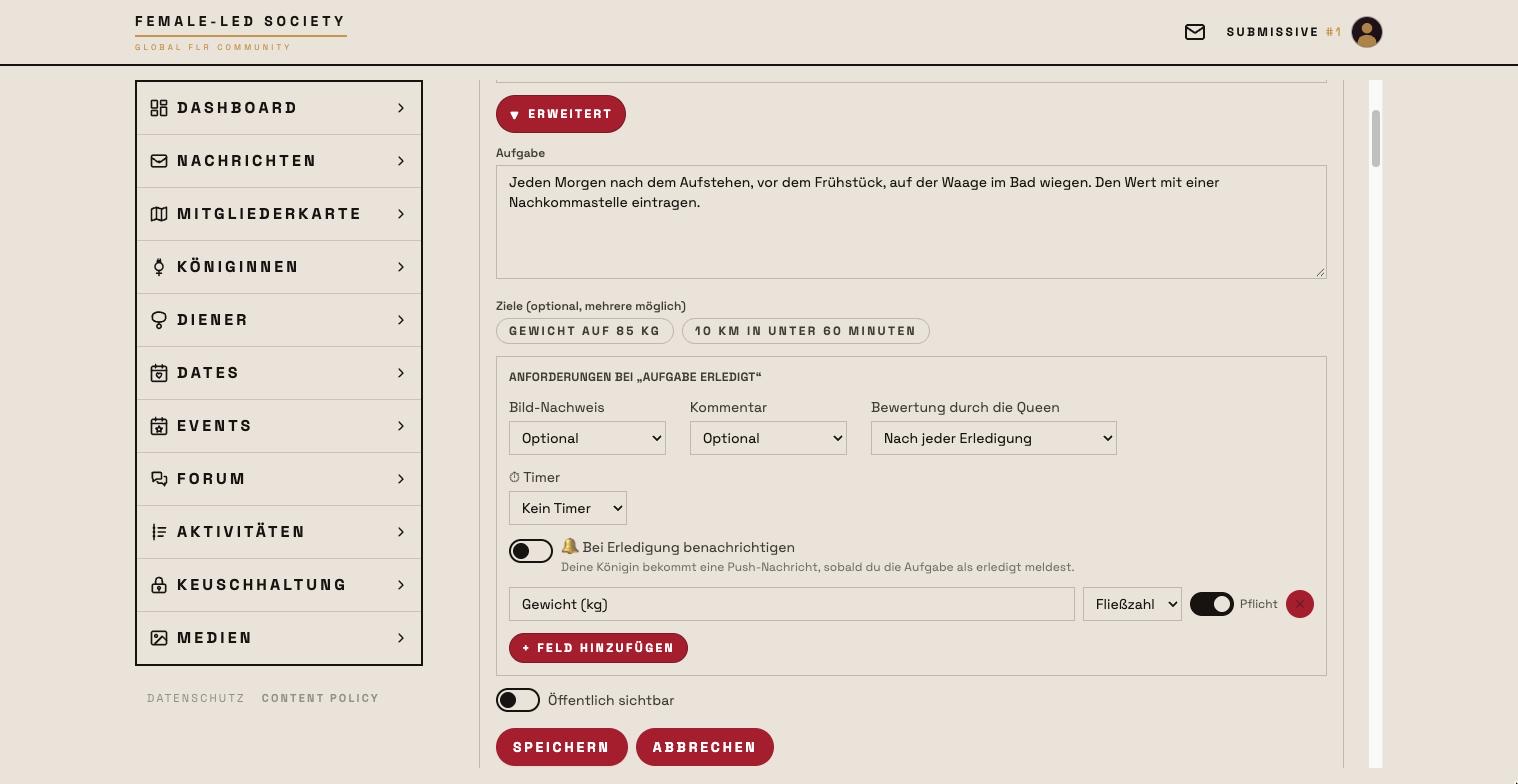
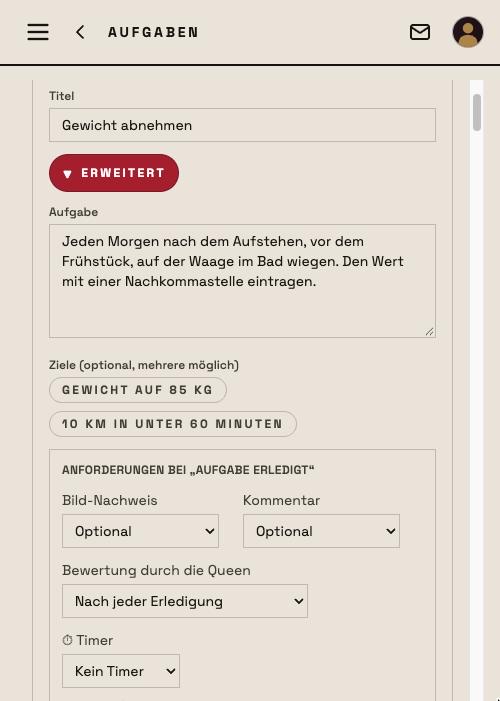
- Task — the detailed description. The more precise, the less room for interpretation: when to weigh, on which scale, how exact the value has to be.
- Goals — click the goal created earlier to link the task to it. Several are possible.
- The block Requirements on “task completed” (next section).
Requirements on “task completed”
This block decides what the servant has to prove when finishing, and how the queen rates:
- Picture proof — Required, Optional or Not required. Required means at least one photo (up to five).
- Comment — likewise; a comment holds up to 1500 characters.
- Rating by the Queen — After every completion (default: every report lands in the queen's Tasks box) or Whenever she likes (like rules): completions stay recorded without entering the rating queue, and the queen rates the task as a whole whenever she wants — at most once a day.
- Timer — No timer, Optional or Required, optionally with a target duration in minutes. The servant starts and pauses the timer himself; the measured time is stored with the completion. With Required the task cannot be reported without a measured time.
- 🔔 Notify me when completed — the queen gets a push notification as soon as the servant reports the task as done. Either side may tick it; whether the push arrives also depends on her master switch Completed task in the notification settings.
- + Add field — your own proof fields.
A field consists of three settings:
| Setting | Meaning |
|---|---|
| Field name | Label in the completion form |
| Field type | Text, Yes/No, Integer or Decimal |
| Required | Without an entry the task cannot be completed |
Femdom creates the field Weight (kg), picks Decimal as the type and ticks Required. Decimal rather than integer because 94.3 kg says something different from 94 kg — and required because otherwise a day without a number would pass as completed.
Field type and required cannot be read off the result later. Check both before you save.
Then Save.
The finished task
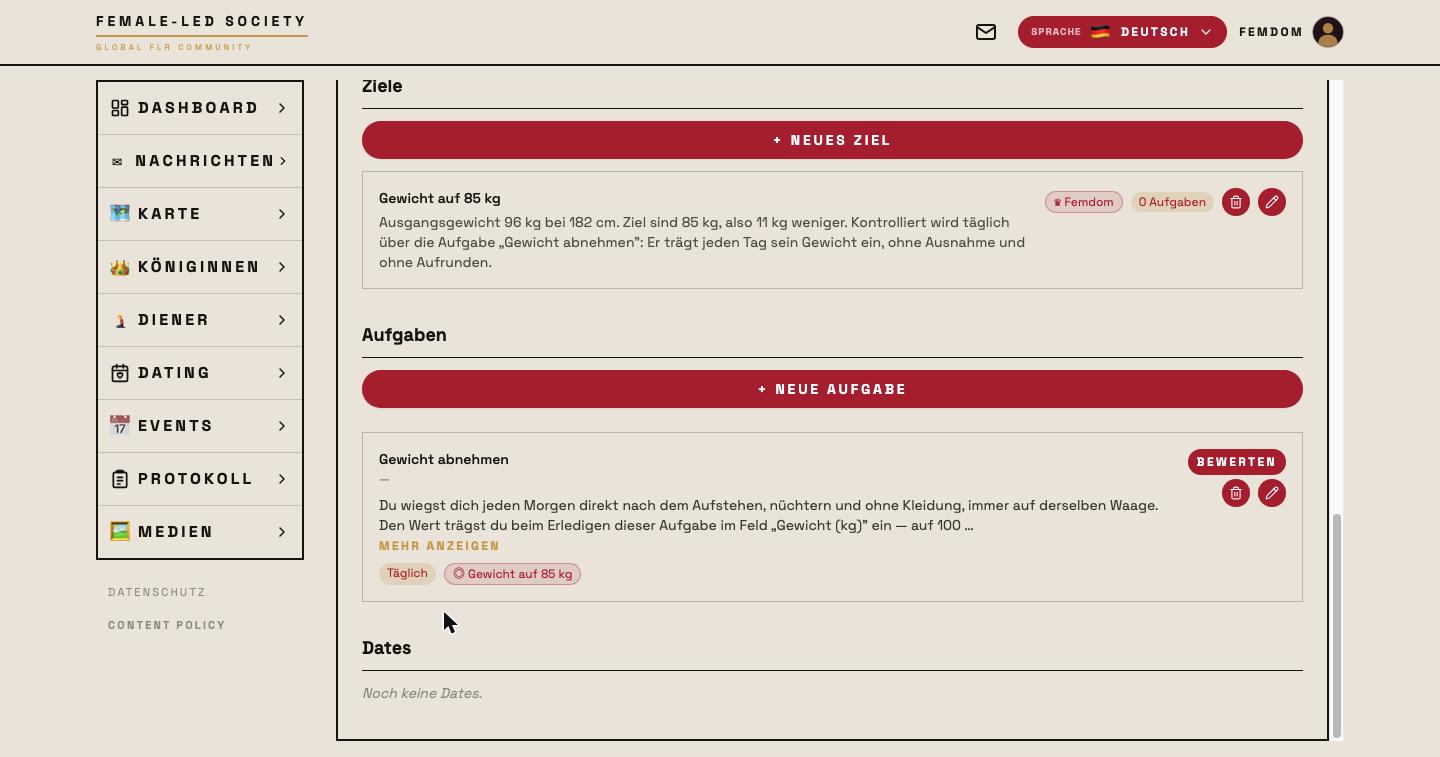
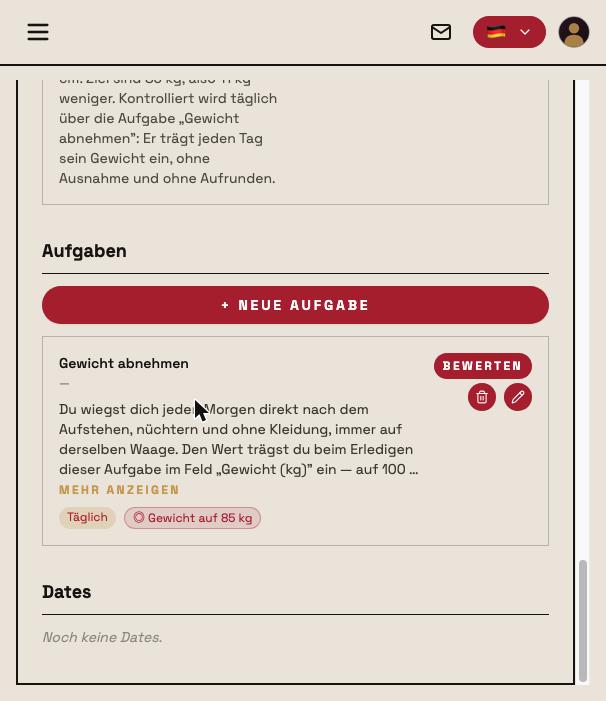
The task now carries its markers: the interval (Daily), the linked goal (Weight down to 85 kg) and 🌐/🔒 for visibility. The icons on the right let you edit or delete it; Rate opens the rating of submitted results. Only those involved in the task may edit it; the interval cannot be changed to Rule afterwards.
Rules
A rule applies permanently. It cannot be reported as done and cannot be missed; so it does not sit under “Open tasks” but in the Rules box on the dashboard — for queen and servant alike. It is created only there, via the + (“New rule”); the form is the same as for tasks, except that the interval is fixed to Rule and there is no deadline, timer or 🔔.
The queen rates a rule as a whole, once per calendar day (Berlin time), with 0–5 stars and an optional comment. If a rule has number fields, a series builds up over time: under Number trends the servant's profile draws the progress as a chart, optionally with the rating as a second line. The section appears from the second data point on.
Reporting a rule violation
Because a rule has no due date it cannot be missed — nobody but the servant knows whether he kept it. His rule card therefore offers ✋ Report rule violation.
The form has two entries: the day of the violation (preset to today, up to 30 days back) and a short account (optional). One report per rule and day is possible. If the rule has no queen, the button does not appear.
The report shows for both under Misses and violations — for the queen exactly like a miss. As long as she has neither attached an educational measure nor granted mercy, the servant can remove his report via ↩ Withdraw; after that it is gone without a trace.
More on rules, examples and a decision aid are in the guide Dashboard: tasks and rules.
Completing a task
For the servant the task appears on the dashboard under Open tasks, sorted by deadline, with Due today, n days left or — with a deadline in hours — 2 h 15 min left; overdue items are red. Extra fields, comment, picture button and timer sit right on the card — no intermediate step needed.
- Fill in the required proofs — for Submissive the required field Weight (kg) every day. A comma is allowed:
94,3is stored correctly as a decimal. - Optionally attach pictures (max. 5) and write a comment (max. 1500 characters).
- If the task has a timer: Start timer, Pause and Resume as needed. The timer runs on the server — started on the phone, reported on the computer, it keeps running.
- Report as done. Without a required field, without a required proof or with a mandatory timer but no measured time the task cannot be completed.
A short “Good Boy” runs across the screen, then the card leaves the open list. Recurring tasks you already reported today stay below the open ones, greyed out with a green check, and show the deadline of the next completion — in the next period they are open again.
Made a typo? Correct it via Correct values — extra fields and comment, for two hours from reporting, as long as the queen has not rated yet and it is the task's latest completion. The button sits on the greyed-out dashboard card, on the task page in the Completion card or in the history, and in the activity detail. After that the report is final; proof pictures and the measured time cannot be changed afterwards.
Rating
The queen sees the submitted result on the dashboard in the Tasks box and clicks Rate now.
- The rating ranges from 0 to 5 stars — tap or drag your finger across the row; 3 stars are preset.
- A comment on the rating is possible (max. 1500 characters).
- Publicly visible — whether other members see rating and comment on a public task. Preset to the task's visibility.
- Submit rating saves it. If the servant reported the same task several times, the oldest completion is rated first; the card says how many are still waiting.
- Typo? Correct rating stays below the rating for two hours after submitting — on the dashboard right after saving, in the task page history and in the rating panel. Stars, comment and the public checkbox can be corrected; after that the rating is final.
If the task is set to Whenever she likes, completions do not wait under “To rate”. As soon as the servant has reported, the task appears in the Reported today section of the same box with Rate now — the queen rates it there as a whole, once per calendar day.
What a task shows over time
A click on a task opens its detail page. At the top are the key figures — Completed, Missed, Ø Rating and Fulfilment rate (for rules Ratings and Violations) —, below them the History with every single completion: the timeline from Created via Deadline and Completed to Rated, the proofs, the measured time, the comments from both sides and the charts for rating and fulfilment. For public tasks other members may open the page too; they then see only what was rated as public.
Miss, rule violation, educational measure and mercy
If a recurring or one-off task is not completed in time, a nightly run (shortly after midnight, Berlin time) records the miss. It appears for both on the dashboard under Misses and violations — together with the rule violations the servant reported himself. A ⚠ stands for a detected miss, a ✋ for a self-report.
Offences are not rated. The queen has two options:
- ⚖ Attach educational measure — create a new one or extend an existing one for this servant. It appears for the servant as its own item to work through and is noted in the activity feed (Educational measure imposed).
- 🕊 Mercy — the miss is waived. It disappears from the list for both but stays visible in the history and in the activity feed (Mercy granted).
The two are mutually exclusive: what was pardoned cannot be punished afterwards — and vice versa. For a reported rule violation there is additionally ★ Rate rule: the normal daily rating of the rule, right there; the offence stays open until a measure or mercy follows.
Working through educational measures
An educational measure has a name (up to 100 characters), optionally a description, the included measures from the catalogue and an optional fixed date. It collects the offences that led to it and has its own page with everything that belongs to it; public measures may be opened by other members too.
Open measures appear for both on the dashboard under Open educational measures:
- The queen marks it as carried out — with an optional comment on execution and a rating of the execution from 0 to 5 stars, which can also be omitted (No rating).
- The servant adds his comment on the execution.
- Via Adjust comment/rating both can be corrected later.
Carried-out and open measures are also listed on the profiles: for the servant those received, for the queen those imposed — public ones for everyone, private ones only for those involved.